Push Button Procurement in GeM

4.9


Push Button Procurement in Government e-Marketplace (GeM)
GEM is an abbreviation for "Government e-Marketplace." It is an online platform developed by the Government of India for the purchase of goods and services by government entities. GEM is an end-to-end market that helps build efficiency in the procurement process from the time of product selection to payment.
It has been designed to offer single-window access to different procurement requirements that are needed by government departments, organizations, and public sector units. It further promotes "Make in India" and provides a level playing field to small and medium-scale enterprises. Furthermore in GEM 4.0 authorities have provided new methods of procurement for low tier buyers to promote economic activities more frequently and easily.
To ensure fair price and simplify the buying process, GeM introduced the Push Button Procurement (PBP) process for small or infrequent buyers. It is designed in such a way that the buying would be seamless, and hence, PBP is recommended for L1 transactions up to ₹5 lakh to enable faster processing and cost-effective procurement by the user. GeM aspires to make buying easier, quicker, and more transparent for all.
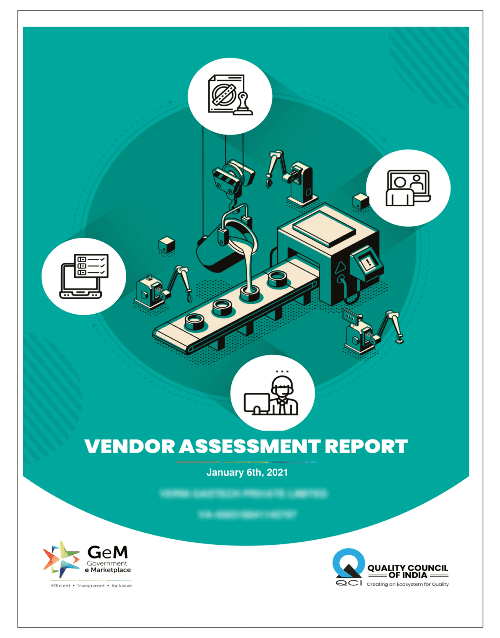
Push Button for Gem Sample Report
- Manufacturing Unit
- Assembling Unit

Stepwise Process for Push Button Procurement (PBP) in GeM
The process for push button procurement in GeM aims at simplifying the whole GeM small-value procurement through an automated and transparent workflow. The 5-step process for GeM Push Button Procurement is as follows, which was followed by buyers under GeM:
- Step 1: Login and Product Selection: Buyer approaches the pbp in GeM portal by logging in with valid credentials and searches for the required product or service available on the marketplace.
- Step 2: Comparison and Cart Finalization: The buyer compares different products or OEMs, chooses the correct consignee address, and then assigns the preferred item to the cart as part of GeM automated procurement.
- Step 3: Create PBP Notice: For eligible L1 purchase amounts up to ₹5 lakhs, the buyer chooses the creation of PBP Notice. It is at this level that the times for the delivery of the purchase and the technical specifications may be modified according to the requirement.
- Step 4: Evaluation and L1 Selection: After the bid is submitted, the price offers related to the pbp notice in GeM are viewed by the buyer. It is automatically evaluated by the system to determine the L1 supplier in the process of push button procurement in GeM.
- Step 5: Order Generation & Confirmation: After choosing & closing the L1 seller, the buyer performs OTP validation of financial & executes order placement on the Government e-Marketplace PBP and achieves GeM push button procurement.

What is Push button Procurement (PBP) in Gem?
The PBP full form is Push Button Procurement. PBP in GeM portal has been introduced to make procurement easy for small buyers through GeM automated procurement. As per the guidelines of GeM, if a buyer wants to purchase a product below L1 bidding, they can initiate procurement under push button procurement in GeM. The objective of GEM is to provide equal opportunity to small-scale buyers to conduct business through the Government e-Marketplace and make procurement easy for infrequent buyers using GeM small-value procurement methods.
Buyers can now create a PBP notice in GeM for L1 purchase of up to ₹5 lakh rupees under Government e-Marketplace PBP
Benefits of Push Button Procurement (PBP) on GeM
Given below are the important benefits of Push Button Procurement (PBP) in GeM:-
- The GeM system of automated procurements also eliminates the need for human intervention by automatically evaluating bid responses and automatically generating orders.
- It is assured that there is a well-defined process for push button procurement, ensuring transparency of process flow. This would help towards compliance with Government e-Marketplace PBP.
- Push Button Procurement in GeM reduces the paperwork and the operational cost involved in bidding, thus making it appropriate for L1 procurements worth up to ₹5 lakhs as a part of PBP GeM.
- If a buyer has access to a pbp notice in GeM, then he or she must be able to monitor responses or bids subsequent to bid submission in the pbp in GeM portal.
- The system encourages fair, open, and transparent competition by adopting evaluation to ensure value for money as well as quality procurement by Push Button Procurement.
- In that line, the GeM Push Button Procurement system simplifies processes and provides buyers with easy navigation and displays requirements and timelines for the seller.
Guidelines to use Push button procurement in GeM
You can understand the simplicity of Push Button Procurement (PBP) in GeM through proper guidelines. Buyers need to understand PBP notice preparation alongside bid assessment and order generation processes for L1 purchases under ₹5 lakh.
- Buyers will be able to generate a "PBP Notice" for Level 1 acquisitions (Comparison and Purchase for amounts up to Rs. 500,000).
- Sellers have a window of 3 days from the publication of the PBP Notice to submit their bids/offers.
- After 3 Days Buyer will be able to view the PBP Demand submitted by sellers.
- The buyer has the ability to verify if the request has been either canceled or approved. For an order to be created, there must be a minimum of five participants (two Original Equipment Manufacturers and three Resellers) involved in the PBP process.
- If there are less than 3 participations, the Push button procurement in GeM demand will not be created.
Creation of PBP by Buyer on the Portal
Effortlessly create a Push Button Procurement (PBP) in GeM portal. Follow this step-by-step guide to select products, compare OEMs, and publish PBP notices for seamless procurement up to ₹5 lakh.
- Login to GEM portal using your authorized credentials
- Choose the category of the required products
- Navigate to administrative filter and check PBP option
- Add consignee, quantity, and delivery location post popup
- The system prompts for comparison and the buyer needs to compare the Products within in 3 different OEMs
- Select three catalogs of different OEMs Portal and click on start comparison then add system generated L1 product and proceed further
- Post carting of the product, buyer need to create a push button procurement notice by clicking the create PBP notice
- Buyer may update delivery and quantity before saving the details
- Once buyer saves the changes and listing, the PBP notice will be published for participants to bid in
Opening of PBP by Buyer Post Bid Submission
Streamline your procurement process with Push Button Procurement in GeM. A step-by-step guide explains the process for push button procurement, helping buyers access PBP notice in GeM, assess offers, and automate order generation after bid submission through PBP GeM
- Once the participants are done submitting their new bids for the product, buyers may open the PBP in GeM portal notice tab to see the list of PBP notices.
- The buyer can view offers against the PBP notice in GeM whose participation date has already closed, and review all received offers.
- Once the L1 bidder is selected, the buyer can create an order by navigating to the order tab under Push Button Procurement in GeM.
- Buyers need to submit some basic financial details and other information before generating the order using GeM automated procurement.
Conclusion
GEM (Government e-Marketplace) has revolutionized the procurement process for various government organizations in India. The introduction of Push Button Procurement in GeM on the platform has simplified GeM small-value procurement and enhanced efficiency. The benefits of push button procurement in GeM make it ideal for small-scale buyers to conduct their business and promote economic activities. With the help of Professional Utilities, businesses can navigate the GEM platform efficiently and effectively, including understanding how to add product in GeM portal for procurement. GEM has not only provided a level playing field for small and medium-sized enterprises but also promoted the “Make in India” concept, driving the growth of the Indian economy.
GEM (Government e-Marketplace) has brought a significant change in the procurement process for different government bodies in the Indian government. The use of Push Button Procurement in the system makes the GeM small-value procurement easier. The benefits of push button procurement in GeM make it the most effective system for small-scale procurement to carry out the business. Using the Professional Utilities available, businesses can efficiently use the GEM system. This includes knowing how to add product in GeM portal for procurement. GEM not only helped to provide a level playing field for the SMEs. The system supported the “Make in India” policy to develop the Indian economy.
FAQ’s On Button Procurement in GeM
What is Push Button Procurement in GeM?
Push Button Procurement (PBP) in GeM is a simplified buying method on the Government e-Marketplace that enables quick and automated small-value purchases. It allows government buyers to select products or services with just a few clicks, provided a minimum number of qualified sellers are available. The PBP system ensures speed, transparency, compliance, and efficiency in the procurement process, thus suitable for regular or low-value purchases.
What are the modes of procurement on GeM?
GeM facilitates four categories of procurements in its platform, such as Direct Purchase, which is used to procure low-cost goods; L1 Purchase, which selects the supplier with the lowest rate; Bidding and Reverse Auction, which is used for higher-priced procurements and helps the buyer obtain goods at lower costs through competition; and Push Button Procurement.
What is the procuring limit on GeM?
The procurement limit in GeM differs according to the procurement process. Under Direct Purchase in GeM, services and products worth ₹50,000 or more can be procured directly from any supplier who is available on the platform. If a procurement requirement lies between ₹50,000 and ₹5 Laks, then the L1 tender process is adopted. This is where the supplier who gives the lowest price gets selected. Beyond the procurement limit, procurement is done using the reverse auction process. Certain procured items have some distinct procurement processes. For instance, for autos and scientific research instruments for scientific bodies.
How can sellers take benefit of push button procurement in GEM?
Through PBP notice, sellers of respective products can re-participate in the bidding process to compete against L1 bidders.
Does GEM require registration to participate in the bidding process?
In order to participate in GEM bidding, sellers are required to register themselves with Gem on the portal and get OEM panel access via RITES vendor assessment.
What is the cost of RITES vendor assessment for GEM?
The Govt Fee For GEM vendor Assessment is categorized under the Following slab.
| Annual Turnover | Vendor assessment Fee inclusive of GST |
|---|---|
| Up to 20 lakhs | ₹ 871.61 |
| From 20lakh - 1Cr | ₹ 1743.22 |
| More than 1 Cr | ₹ 3486.44 |
How much time does it take to get a RITES assessment done?
The RITES vendor assessment takes 15-20 days to complete.
What is the PBP full form?
The PBP full form is Push Button Procurement.
Speak Directly to our Expert Today

Reliable

Affordable

Assured
Industries Served by
Professional Utilities

Apparels

Footwear

Furniture

Gems and Jewellery

Tourism & Hospitality

Consumer Electronics

Chemicals

Telecom

Oils & Gas

Hotel

Railways

Liquor

Health & Medical

Food Processing

Dangerous/ Haz. Goods

Tea & Coffee

Capital Goods

Recycling

Rubber

NGOs

Silk

Handloom

IT & BPM

Steel

Automobile

Tobacco

Constructions


Testimonials
"Explore how Professional Utilities have helped businesses reach new heights as their trusted partner."







It was a great experience working withProfessional Utilities. They have provided the smoothly. It shows the amount of confidence they are having in their field of work.

Atish Singh


It was professional and friendly experience quick response and remarkable assistance. I loved PU service for section 8 company registration for our Vidyadhare Foundation.

Ravi Kumar
I needed a material safety data sheet for my product and they got it delivered in just 3 days. I am very happy with their professional and timely service. Trust me you can count on them.

Ananya Sharma
Great & helpful support by everyone. I got response & support whenever I called to your system. Heartly thanx for Great & Super Service. Have a Great & Bright future of team & your company.

Prashant Agawekar
Thank you so much Professional Utilities team for their wonderful help. I really appreciate your efforts in getting start business. Pvt Ltd company registration was smooth yet quick.
Abhishek Kumar
I applied for Drug licence and company registration and their follow-up for work and regular updates helped me a lot. They are happily available for any kind of business consultancy.

Vidushi Saini
Great experience went to get my ITR done, process was quite convenient and fast. Had a few queries, am happy about the fact those people explained me all things I wanted to know.

Taniya Garyali
Great services provided by Professional Utilities. They are best in this industry and the best part is their prices are so affordable. Kudos to you. Now you guys are my full-time consultant.

Aftab Alam
Trusted By